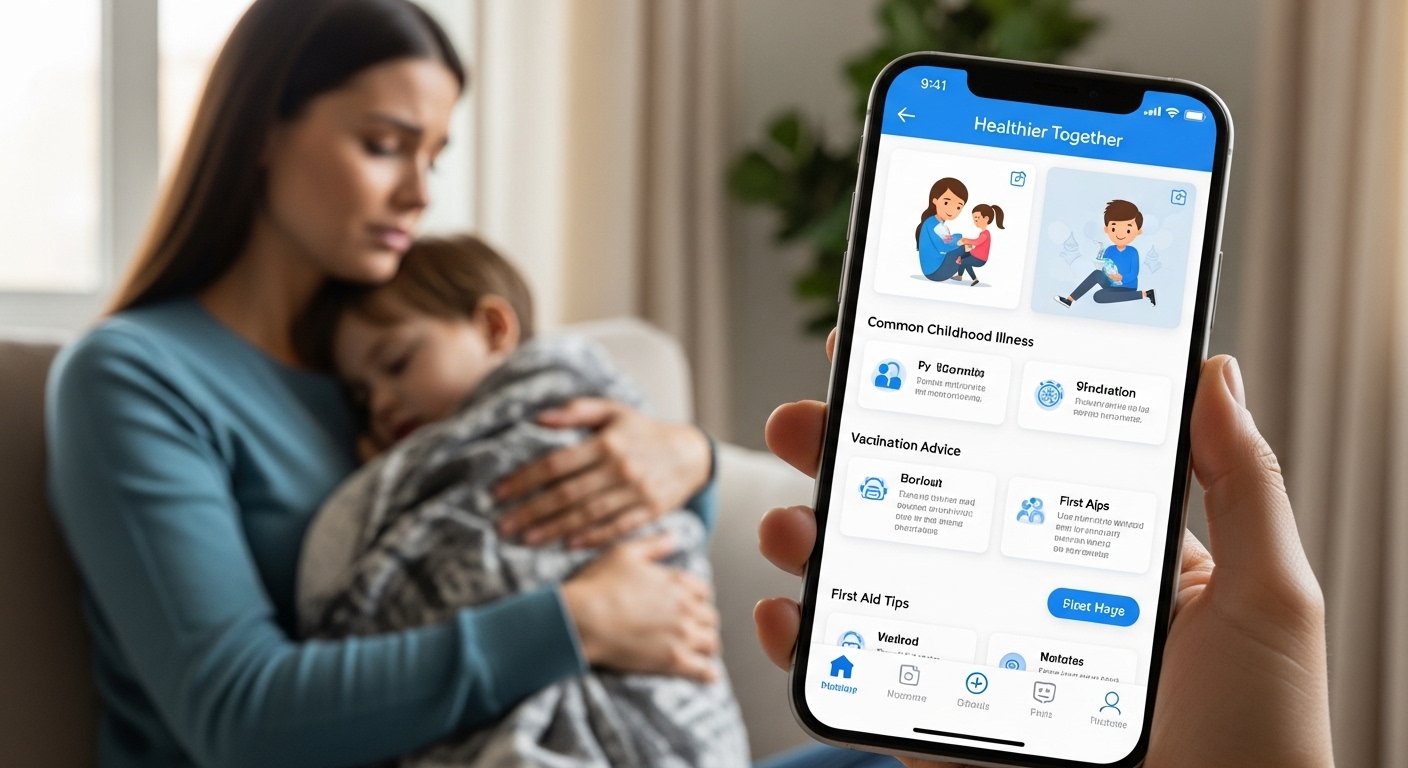
Many parents feel worried when their child gets sick. They wonder if they should go to the doctor right away or handle things at home. That is why the Healthier Together app can make life easier for families. This free tool, developed with help from the NHS and parents, gives clear advice on common childhood issues. It helps you decide what to do next without extra stress. In this guide, you will learn how to download the app, explore its main features, get useful tips, and see the latest updates as of 2026. After that, you will feel more confident caring for your child’s health every day.
Why Families Choose the Healthier Together App
Life with young children brings many surprises, especially when someone feels unwell. Because finding trustworthy information online can be hard, the Healthier Together app stands out as a simple helper. It works like a calm friend who knows basic health facts from trusted doctors and real parents.
For example, imagine your little one has a fever at night. Instead of searching everywhere and feeling more anxious, you open the app. It explains common signs and what steps to take. This means you save time and make better choices. Over time, many families say the app reduces worry because it points to the right place for help, whether that is staying home or contacting a professional. In addition, it covers needs from pregnancy through the teenage years, so one tool supports the whole family as children grow.
How to Download the Healthier Together App Step by Step
Getting started with the Healthier Together app is quick and straightforward. First, make sure your phone has enough space and a good internet connection. Next, open the app store that matches your device. If you have an iPhone, go to the Apple App Store. For Android phones, use the Google Play Store.
After that, type “Healthier Together” in the search bar. Look for the official version developed for NHS advice. Check the name and developer to avoid any mix-ups. Then tap the download button. Because the app is free, you will not need to pay anything. The whole process usually takes just a few minutes.
Once it finishes installing, open the app right away. You can create simple profiles for each child in your care. Add their name, age, and the name of their GP practice if you know it. This small step helps the app give more personal suggestions later. Many parents say they set it up in the evening so it is ready whenever they need it during busy days.
Main Features That Make the App Helpful
The Healthier Together app has several easy-to-use parts that work together smoothly. One key feature is the symptom checker. You answer simple questions about what your child is feeling. After that, the app uses color codes like traffic lights to guide you. Green means you can often care for things at home. Amber suggests watching closely and maybe getting advice. Red flags mean you should seek help fast.
For instance, if your child has a cough, the app lists what to watch for and how to keep them comfortable. It also tells you how long symptoms might last. This breakdown helps because big worries often come from not knowing what is normal. Another thing is the direct message option to your GP surgery. Instead of waiting on the phone, you can send details about symptoms through the app in some areas. Your surgery then contacts you to plan the next step.
In addition, the app includes guides on pregnancy and care for babies up to 18 years old. You will find tips on everyday topics, such as helping a child swallow medicine or deciding if they can go to school. Because these resources come from doctors working with parents, the advice feels practical and real. Over time, using these features builds your confidence as a caregiver.
Useful Tips for Getting the Most from the App
To use the Healthier Together app well, start small and build habits. First, explore the main sections when everyone is healthy. This way, you know where things are before any rush. For example, look at the common illness pages so you recognize patterns next time.
Another helpful tip is to update your child’s profile regularly as they grow. Age changes can affect advice, so keeping details current makes suggestions more accurate. Also, always read the full explanation before deciding. The app breaks ideas into short parts, which means you can understand them one piece at a time.
If your child shows mild symptoms, try the self-care ideas first, like rest and fluids. Many parents notice that following these steps helps symptoms improve without extra visits. That is why the app saves time for everyone. In addition, keep the app on your home screen for fast access during nights or weekends. Over time, these simple habits turn the tool into a steady part of family care.
Common Mistakes to Avoid When Using the App
Even with a good tool, small mistakes can happen. One common error is rushing through the symptom questions without thinking carefully. Because honest answers lead to better guidance, take a moment to check all signs. For example, note if your child has any red-flag symptoms like trouble breathing before choosing options.
Another mistake is ignoring the advice completely if it suggests staying home. The app gives ideas to make your child feel better, such as ways to ease pain or when to check again. Following these can prevent small issues from growing. Also, do not use the app as a full replacement for professional care. It helps you decide the first step, but doctors still know your child’s full history best.
In 2026, some users mention that adding extra details in messages to the GP helps get quicker replies. That is why being clear and calm in your notes works well. Avoiding these easy slips means you get safer and smoother help every time.
Recent Updates and What Is New in 2026

The Healthier Together app keeps improving with time. In early 2026, developers added better performance fixes so the app runs smoothly on more phones. They also updated maternity pathways to include more support for pregnant women. This means new guides on common pregnancy concerns that connect well with child health sections.
Another fresh addition involves pharmacy options. In some places, the app now points to local pharmacies that can help with minor issues for children and adults, like earaches or sore throats. Because this expands choices, families have more ways to get quick care without always going to a GP or emergency spot.
Recent versions also include small bug fixes and easier navigation. For example, finding pregnancy resources or school advice feels faster now. Over time, these updates show the team listens to feedback from parents and health workers. That is why checking for updates regularly keeps your version fresh and useful for 2026 family needs.
How the App Supports the Whole Family Over Time
As children grow, their health needs change, and the Healthier Together app grows with them. It starts with pregnancy tips from around 16 weeks and continues through baby, toddler, and school years up to age 18. This long view helps because one app covers many stages instead of switching tools.
For young people, there are sections on topics that matter as they become more independent. Parents like that the advice stays trusted and simple across all ages. In addition, creating multiple child profiles means bigger families can manage everything in one place. Over time, this builds a habit of checking reliable sources first, which can lead to calmer homes and fewer unnecessary worries.
FAQ About the Healthier Together App
Here are some common questions families ask about the app, with clear answers.
Is the Healthier Together app really free to use?
Yes, you can download and use it without any cost. Your information stays secure and is not shared or sold.
Can I use the app if I live outside certain areas?
The app works best in places linked to NHS services, but many features like general advice and symptom guides are available widely. Check your local options inside the app.
Does the app replace calling a doctor?
No, it helps you decide the best first step. For serious concerns, always contact professionals directly.
How do I add more than one child?
You can create separate profiles easily. Just enter each child’s basic details when asked.
What if the app suggests contacting my GP?
In supported areas, you can send a message straight from the app. Your surgery will then reach out to you.
Is the information up to date?
Yes, the content comes from NHS sources and gets reviewed often. Updates bring new pathways as needed.
Can teenagers use the app too?
Absolutely. It includes advice for young people up to 18 years old on various health topics.
Wrapping Up Your Healthier Together Journey
Learning about the Healthier Together app shows how a simple tool can bring more peace to family life. From easy download steps to helpful features like symptom checkers and direct messaging, it guides you through tough moments. Practical tips, such as exploring the app early and avoiding common rushes, make it even better. Recent 2026 updates add smoother use and extra options like pharmacy support, which keeps the app fresh.
In the end, caring for health works best when families feel informed and supported. The app offers one steady way to find clear answers and make thoughtful choices. Why not try the basic steps today and see how it fits your routine? With steady use, you may notice less stress and more confidence as you watch your children grow strong and happy.
Disclaimer:
This article provides general information based on publicly available details about the Healthier Together app as of 2026. It is not medical advice and should not replace professional healthcare guidance. Always consult your doctor, GP, or NHS services for personal health concerns. App features, availability, and updates may vary by location and over time. Check official app stores and NHS resources for the latest information.
Explore More
- Employee Online App Free Download 2026 (NHS Allocate, UHB, e-Rostering, HealthRoster Android App)
- Dot Trading App Review 2026: Free Download Guide, Features, and What It Is
- Cynergy Bank App Guide 2026: Download, Login & Fix Not Working Issues
About the Author


John Giddings is an expert in app reviews and guides, helping parents and families understand and use digital tools easily. He writes clear, step-by-step articles on apps like ParentPay, showing how to make payments, stay organized, and get the most out of technology. John’s goal is to make complicated apps simple and safe for everyone to use.